Review Comments (0) Screenshots (6) Questions & Answers (0) Votes (1) Awards (1) Wiki  
-Please log in to rate
3 3/5 (1)
-Elite Software Development, Inc.
-7.1.0.108
- www.elitesoft.com
-Shareware
-295$  Purchase
- 86 people
Download Chvac

18.56 MBDownloaded 142 times


Review

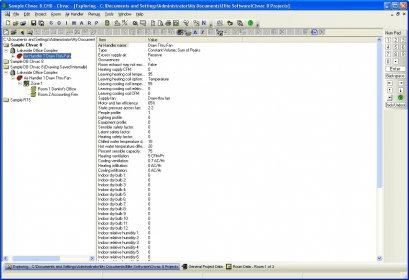
Chvac stands for Commercial HVAC (an acronym that stands for "heating, ventilating, and air conditioning"). What this program basically does is helping engineers to calculate peak heating and cooling loads in buildings. Peak heating and cooling loads refer to the maximum loads that could happen in a given scenario. The scenario is composed by the building characteristics, its location and weather, and the use is to be given to it. Using Chvac, times involved in the calculation process decrease dramatically and this allows engineers to compare and decide among several design alternatives.

Chvac can perform calculations following one of two available methods: CLTD method and the RTS method. The only limitation that Chvac imposes is the number of air handlers which can reach up to 100. There’s no limitation to the building zones. Maybe the most important part of the program is the reports that it can produce. Chvac provides very comprehensive reports listing all the parameters useful for engineers, such as supply air quantities, outside air loads, zone loads, tonnage requirements, chilled water flow rates, and psychrometric data. It allows screen previewing and configurable printing for all reports.
Chvac supports Drawing Board, a complement for all the applications from Elite Software, which provides graphical representation for the installations being calculated so users don’t have to input data in the regular way but graphically. This complement works as a “communication gate” between applications from Elite Software supporting it. The applications from Elite Software with which Chvac can exchange or provide data are: Energy Audit, Ductsize, Quote and PsyChart.
Advantages
  • It fully integrates with other applications from Elite Software.
  • It offers online demonstration videos.
  • It allows data entry using a drawing board instead regular data entry.
Disadvantages
  • The demo has limitations for the number of rooms in projects.

Reviewed by: Lionel Mira

Reviewer rating: Editor's rating 5

Screenshots

Tip of the day Tip of the day Help information Help information General project data General project data Weather database Weather database
All 6 screenshots

Latest comments


There are no comments, be the first one!
Add new comment
Extensions
.cht CHVAC Template
.chv CHVAC Project
Download siClient

Email Address:

Password:

Register now »

Forgot password?

Copyright © 2009, Informer Technologies, Inc. About| Privacy and terms| Help| Feedback